Email Marketing for Beginners: How to Build a Subscriber List from Scratch
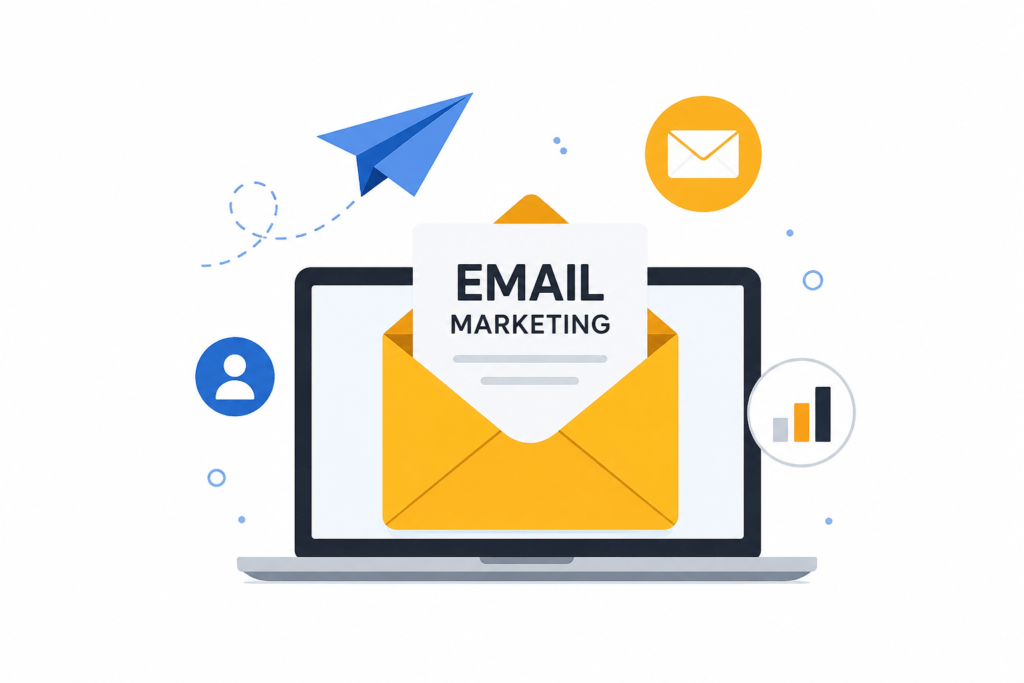
Email Marketing for Beginners: How to Build a Subscriber List from Scratch
Unlike social media platforms where algorithms control your reach, an email list is a true digital asset that gives you direct, uninterrupted access to your audience. Convincing people to hand over their email address requires a clear strategy built on trust and value.
If you are starting completely from scratch, this step-by-step organic blueprint will help you lay strong foundations and build a highly engaged subscriber list.
The Core Principle of List Building
The number one rule of modern list building is simple: always optimize for engaged subscribers over raw numbers. A massive list full of inactive accounts will hurt your inbox deliverability and damage your sender reputation.
To get people to willingly subscribe, you must answer the ultimate question every visitor asks: “What’s in it for me?”
The Value Exchange Formula:
[Hyper-Relevant Incentive] + [Frictionless Form] = High-Converting Subscriber
Step 1: Choose a Beginner-Friendly Email Service Provider (ESP)
Never send marketing emails from a personal Gmail or Outlook account. You need a dedicated platform to manage subscribers, build forms, ensure legal compliance, and track analytics.
Excellent, budget-friendly platforms for beginners include:
MailerLite: Highly intuitive drag-and-drop editor with a generous free tier, making it ideal for absolute beginners. You can explore their tools directly on MailerLite.
Kit (formerly ConvertKit): The go-to platform designed specifically for newsletter creators, bloggers, and digital authors. Learn more about their creator features on Kit.
Brevo: Offers exceptional automation features and an excellent plan structure based on daily sending limits. Review their service offerings at Brevo.
Step 2: Create an Irresistible Lead Magnet
A lead magnet is a free incentive you offer in exchange for a reader’s email address. To convert well, your incentive must solve a specific problem instantly.
Highly effective lead magnets include:
Content Upgrades: A downloadable PDF version or a quick checklist specific to a blog post the user is already reading.
Mini Email Courses: A 5-day educational drip series delivered via autoresponder (e.g., “Free 5-Day Coding Crash Course”).
Templates & Resource Packs: Ready-to-use worksheets, design files, or spreadsheets that save your audience hours of work. You can put together high-quality visual resources easily using the design suites on Canva.
Step 3: Place High-Conversion Signup Forms
Once your lead magnet is ready, you need to place subscription forms across your website’s highest-traffic areas. Keep your forms incredibly brief—asking only for a First Name and Email Address reduces friction and boosts conversion rates.
Strategic Placement Map:
Inline Forms: Positioned naturally inside your high-traffic articles, directly after the first major content section.
Exit-Intent Pop-ups: A restrained, single-field pop-up that triggers only when a user is about to leave your site.
Dedicated Landing Page: A clean, distraction-free standalone page focused entirely on selling the value of your newsletter. If you want to dive deeper into conversion statistics and layout ideas, you can check out the growth guides on HubSpot.
Step 4: Ensure Legal Compliance from Day One
Building a legitimate digital business means adhering strictly to international privacy laws like GDPR and CCPA. Transparency builds trust and protects your brand from severe penalties.
Explicit Consent: Never pre-tick consent boxes or automatically opt people in. Clearly state what type of content you will send.
Double Opt-In: Turn on double opt-in so subscribers must confirm their email address via a link in their inbox. This stops bots and ensures your list remains pristine.
Easy Unsubscribe: Every single marketing email you send must include a clear, single-click unsubscribe link at the bottom. To review international data protection requirements, you can read the official guidelines on the GDPR Info Portal.
Step 5: Launch a Welcome Sequence (Day Zero)
Subscribers are most engaged during the first 48 hours after signing up. Do not leave them hanging. Build an automated 3-to-4 email welcome sequence that fires immediately.
Email 1: Deliver the promised lead magnet instantly, introduce your brand personality, and set expectations for how often you will email them.
Email 2: Deliver an unannounced piece of massive value (a top tip or a helpful article link).
Email 3: Ask a simple, qualifying question to segment your audience (e.g., “Are you a beginner or an intermediate marketer?”) so you can send targeted emails later.
Campaign Optimization Matrix
| Growth Tactic | Primary Placement | Core Benefit |
| Content Upgrade | Mid-article inline sections | Hyper-relevant to reader intent |
| Exit-Intent Modal | Desktop site exit paths | Recovers 2–5% of leaving visitors |
| Standalone Landing Page | Social media bios & signatures | Highest conversion rate (5–15%) |
Conclusion
Building an email list from scratch is a compounding process. Focus on delivering genuine, structured value to your first 100 subscribers, keep your layouts scannable and accessible, and enforce strict list-cleaning rules quarterly to maintain peak deliverability.
FAQS
No, buying email lists is highly discouraged and violates major privacy laws like GDPR and CCPA. Sending unsolicited emails will cause your messages to land straight in the spam folder, damage your domain’s sender reputation, and can get your account permanently suspended by your Email Service Provider.
For most blogging and digital marketing niches, an average open rate between 20% and 25% is considered healthy. If your open rates drop below 15%, it is usually a sign that your subject lines need work, or your email deliverability is suffering because of inactive subscribers.
When starting out, sending one high-quality newsletter per week is the perfect sweet spot. It is frequent enough to keep your audience engaged and familiar with your brand, but not too frequent that it overwhelms them or causes high unsubscribe rates. Consistency is far more important than high frequency.
With single opt-in, a user is added to your list immediately after hitting submit. With double opt-in, they must open a confirmation email and click a link to verify their address. While single opt-in grows your list faster, double opt-in ensures you capture real, highly engaged email addresses and eliminates spam bots.